
Download ButterReader – AI Voice Generator for Blogs, Free Audio Widget, Secure Integration
Overview
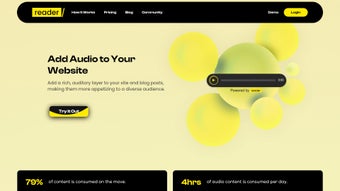
ButterReader is a web‑based AI voice generator that transforms written blog posts into high‑quality audio experiences. Designed specifically for content creators, the platform enables bloggers to embed a customizable audio widget directly into their pages, giving readers the option to listen instead of read. This “listen‑while‑you‑scroll” capability meets the growing demand for multitasking‑friendly content consumption, especially on mobile devices.
By converting text to speech with natural‑sounding voices, ButterReader not only improves accessibility for users with visual impairments or limited reading time, but also enhances SEO performance through increased dwell time and lower bounce rates. The tool offers a simple, secure installation process, a responsive design that adapts to any screen size, and a built‑in leaderboard that showcases the most popular audio posts, encouraging community interaction and repeat visits. While its focus remains on blog content—meaning it doesn’t currently support offline listening or multilingual output—ButterReader delivers a reliable, free‑to‑try solution for anyone looking to broaden the reach of their written material.
Whether you run a personal blog, a news site, or a corporate content hub, ButterReader’s blend of AI‑driven voice synthesis and easy widget customization makes it a compelling addition to your digital toolbox.
Core Features
- Customizable Audio Widget: Adjust size, color, and placement to match your site’s branding.
- Diverse Voice Library: Choose from multiple AI‑generated male and female voices with adjustable tone and speed.
- Playback Controls: Users can play, pause, skip forward/backward, and adjust volume directly within the widget.
- Responsive Design: Optimized for desktop, tablet, and mobile browsers, ensuring a smooth listening experience on any device.
- Leaderboard & Engagement Metrics: Ranks audio posts by popularity, offering insight into which content resonates most with listeners.
- SEO Boost: Increased time‑on‑page and reduced bounce rates contribute to better search‑engine rankings.
- Secure Cloud Processing: All text‑to‑speech conversion occurs on encrypted servers, protecting your content.
- Simple Integration: One‑line JavaScript embed code eliminates the need for complex plugins or server‑side installation.
Beyond the list above, ButterReader continuously refines its voice synthesis algorithms, meaning the audio quality improves over time without additional effort from the user. The platform also supports automatic updates, so any new voice additions or feature enhancements are instantly available to existing installations. For bloggers who value both aesthetics and functionality, the combination of visual customization and robust audio capabilities makes ButterReader stand out among competing text‑to‑speech widgets.
Installation & Compatibility
Step‑by‑Step Setup
Getting ButterReader up and running takes just a few minutes, even if you have limited technical expertise. Follow these steps for a seamless integration:
- Sign up for a free ButterReader account on the official website.
- Navigate to the Dashboard and select “Create New Widget.”
- Configure your preferred voice, playback speed, and visual style using the intuitive UI.
- Copy the generated JavaScript snippet.
- Paste the snippet into the HTML of the blog post where you want the audio widget to appear, or add it to your site’s global footer for automatic inclusion on every article.
- Save changes and refresh the page to see the widget in action.
The entire process is secure, as the script is served over HTTPS and does not require any additional server‑side plugins. For platforms like WordPress, Blogger, or custom static site generators, the embed code works identically, making ButterReader a versatile choice across a wide range of publishing environments.
Operating System & Browser Support
ButterReader is a cloud‑based service, so it is compatible with any operating system that can run a modern web browser. This includes Windows 10/11, macOS Ventura and later, Linux distributions, as well as mobile operating systems such as Android 9+ and iOS 13+. The widget is built with HTML5, CSS3, and JavaScript, ensuring full compatibility with Chrome, Firefox, Safari, Edge, and Opera. Because the audio rendering occurs on ButterReader’s servers, there are no heavy client‑side processing requirements, which translates to fast load times even on older devices.
In addition to desktop and mobile browsers, the widget adapts to assistive technologies like screen readers, further enhancing accessibility. The responsive design automatically adjusts the widget’s dimensions based on screen width, guaranteeing an optimal user experience whether the visitor is using a smartphone, tablet, or widescreen monitor.
Pros & Cons
Advantages
- Free basic plan with no hidden fees.
- High‑quality AI voices that sound natural.
- Fully customizable widget to match brand aesthetics.
- Responsive and mobile‑first design.
- Boosts SEO by increasing dwell time.
- Secure cloud processing protects content.
- Leaderboard encourages community engagement.
- One‑click embed code works on any website platform.
Limitations
- Limited to blog‑post text; does not support PDFs, e‑books, or other formats.
- No offline listening or downloadable audio files.
- Currently supports only English language voices.
- Advanced customization (e.g., custom voice training) is reserved for paid tiers.
- Analytics are basic; deeper insights require integration with third‑party tools.
Frequently Asked Questions
Can I use ButterReader on a WordPress blog?
Yes. ButterReader provides a simple JavaScript embed code that can be added to a WordPress post via the “Custom HTML” block or placed in the theme’s footer.php file for site‑wide deployment.
Is there a limit to how many blog posts I can convert?
The free tier allows unlimited widget placements, but there is a monthly cap on total characters processed. Upgrading to a paid plan removes this limitation.
Do I need any special hardware or plugins?
No special hardware is required. ButterReader runs entirely in the browser and communicates with secure cloud servers, so standard HTML5‑compatible browsers are sufficient.
How does ButterReader affect my site’s loading speed?
The widget loads asynchronously, meaning it does not block the rendering of the rest of the page. Users typically experience a negligible impact on load times, especially on modern connections.
Can I track how many listeners each audio post receives?
Yes. ButterReader’s dashboard includes basic analytics showing play counts, average listening duration, and ranking on the leaderboard. For deeper insights, you can integrate Google Analytics using custom events.
Conclusion & Call to Action
ButterReader offers a powerful, free‑to‑try solution for bloggers who want to expand their content’s reach beyond the written word. By delivering crisp, AI‑generated audio directly on your site, it improves accessibility, encourages longer on‑page engagement, and can give your SEO a noticeable lift. While the current version is limited to English‑only, blog‑centric content, the ease of installation, responsive design, and customizable branding make it a worthwhile addition for most publishing workflows. If you’re ready to transform your blog posts into an engaging auditory experience, download ButterReader today and start listening to the boost in user interaction.



.png)



